

If you've been following the news lately, you'll know that Apple CarPlay is opening up to other maps. Currently, with iOS 11, this isn't possible. If you want a map, it has to be Apple Maps. However, with the arrival of iOS 12, things will change, and you'll be able to add other apps like Google Maps or the popular navigation app Waze.
It's true that the final version of the platform won't reach users until September. However, the first developer beta has been available since June 4th , and the first public beta will be released at the end of June . Therefore, there will be features you can already try—if you're feeling adventurous—on your device.
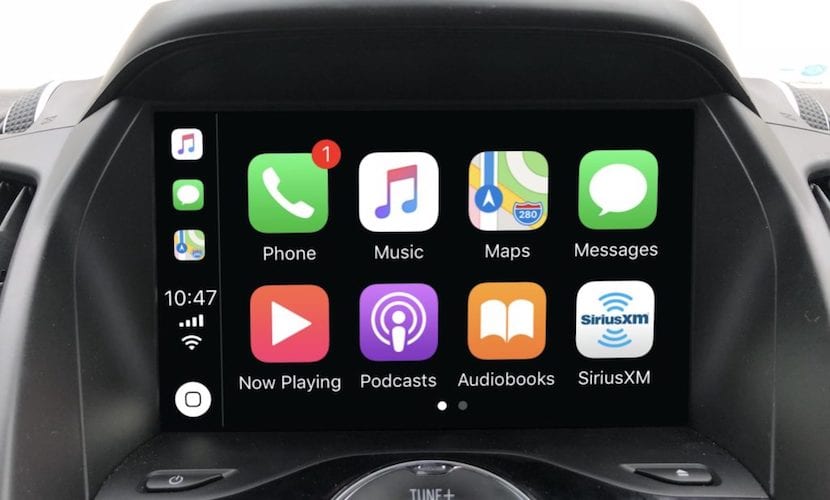
Therefore, the first thing you'll need to do is install the first beta of iOS 12 on your iPhone . Following these same steps with iOS 11.4 won't work, although it will allow you to add or remove apps from your vehicle's screen. Similarly, not all apps are compatible with CarPlay; if they are, they'll appear directly on the screen. However, you won't be able to add either of these two GPS navigation options: Waze or Google Maps.
First, go to "Settings" on your iPhone and look for the "General" option . Then scroll down to "CarPlay" and tap it again. You'll see that it lets you select the vehicle you want to add these two apps to—you'll see the complete list of vehicles you've registered or linked to your iPhone.
This is when you'll see a preview on screen of how CarPlay will look in your vehicle and the apps that are already installed. At the bottom, you'll see compatible apps that aren't yet installed, each with a small plus (+) icon. Adding these apps to the list is what you'll need to do. This is how you'll use Waze or Google Maps to enjoy them in CarPlay.