How to check and change mobile data settings on your iPhone step by step
Learn how to check and change your iPhone's cellular data settings in detail. Everything you need to know in one place.

Learn how to check and change your iPhone's cellular data settings in detail. Everything you need to know in one place.

Learn how to use Siri with your AirPods easily, depending on your model. Complete guide with tips and steps.

Discover all the ways to translate text on iPhone, from apps to the camera. You'll be amazed at how easy it is!

Learn how to record videos in Cinema mode with your iPhone and get a professional look with these tips.

Learn how to set up Siri and provide helpful information to get the most out of it on your iPhone.

Learn how to view your calendar in CarPlay with your iPhone step by step, either with Siri or your car's screen.

Learn how to easily adjust the date and time on your iPhone—even if the option is blocked.

Learn how to properly reset your iPhone settings without losing data or making common mistakes.

Learn how to use Freeform on your iPhone to organize and collaborate effectively. Take advantage of this tool from your device to your iPhone.

Learn how to request roadside assistance via satellite from your iPhone. Useful if you don't have cellular coverage.

Learn step-by-step how to play audio on Bluetooth accessories from your iPhone and troubleshoot any errors.

Learn how to type with your iPhone's onscreen keyboard. All the ways to use it: touch, VoiceOver, or dictation.

Learn how to create and customize shortcuts on your iPhone. Complete guide with useful tips. Automate tedious tasks.

Learn how to use Siri in CarPlay with your iPhone to enhance your driving experience. Commands, settings, and more.

Learn how to play audiobooks with CarPlay on your iPhone step by step. Don't miss it!

Learn how to listen to podcasts on iPhone with apps, downloads, syncing, and more tips.

Learn how to take advantage of the visual accessibility features on your iPhone and customize it to your liking. Maximum comfort

Learn how to file your 2024 tax return from your iPhone or Mac with the AEAT app or Renta WEB. Quick, secure, and hassle-free.

Learn how to change your iPhone's language and region in just a few steps. Access exclusive services and personalize your device.

Learn how to precisely adjust the volume on your iPhone and customize the sound for calls, music, and notifications.
Learn how to quickly turn accessibility features on your iPhone with these simple steps.

Learn how to use Apple Intelligence in the Messages app on your iPhone with summaries, smart replies, and more.

Learn how to access all your iPhone data, from model to IMEI, with this comprehensive guide.

Learn how to easily add text, shapes, and stickers to your documents on iPhone using iOS tools.

Learn how to block access to Apple Intelligence in Screen Time on your iPhone and improve privacy and parental controls.

Learn all the ways to silence your iPhone, from the side button to Do Not Disturb mode. Find out here!

Learn how to safely send and receive messages using CarPlay on your iPhone while driving with Siri.

Learn how to receive separation alerts if you forget your AirPods to prevent losing them. Enable alerts in the Find My app and use Siri.

Learn how to use and get the most out of the Measurement app on your iPhone and improve the accuracy of your measurements.

Learn how to customize your iPhone's home screen with iOS 18: icons, widgets, backgrounds, and more.

Learn how to set Focus and Do Not Disturb modes on your iPhone to avoid distractions and improve your productivity.

Learn how to quickly search for photos, files, messages, and any other type of content on your iPhone with these tips.
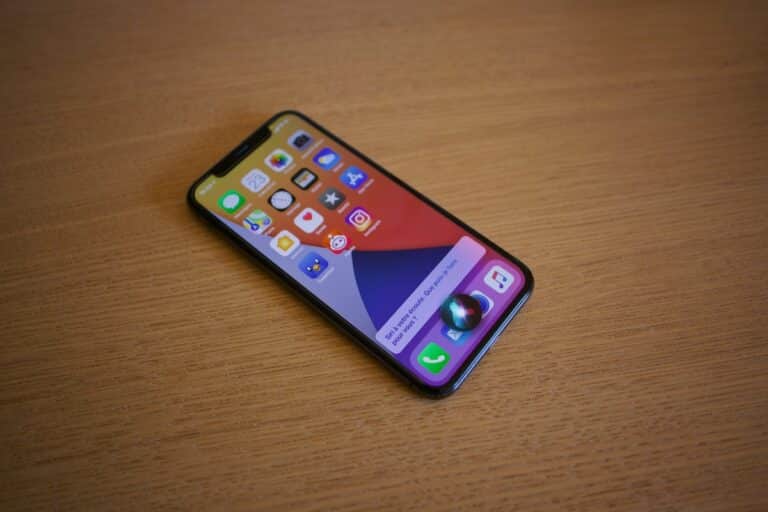
Learn how to use Siri on your iPhone with useful tips and commands that will make your everyday life easier. Setup and tricks.

Learn how to change advanced camera settings on your iPhone to improve the quality of your photos and videos.

Learn how to rearrange icons in CarPlay on your iPhone step by step for maximum convenience. Optimize your screen now!

Learn how to customize CarPlay in your car and optimize your driving experience with advanced settings.

Learn how to connect to the internet from your iPhone using Wi-Fi, mobile data, or sharing a connection with other devices.

Discover all the gestures for navigating on iPhone with Face ID and improve your experience with essential tips.

Learn how to type with the iPhone onscreen keyboard, activate advanced features, and improve your typing experience.

Discover the redesigned iPhone 17 Pro and iPhone 17 Air, featuring an aluminum frame, less glass, and new cameras.

Discover how to read QR codes with your iPhone quickly and easily, without the need for additional apps. We'll explain!

Learn how to print from your iPhone with or without AirPrint, using alternative apps and methods.

Learn how to quickly and easily transfer tasks between your Apple Watch and other Apple devices.

Learn how to set up email, contacts, and calendar accounts on your iPhone quickly and easily, step by step.
Learn how to add or change keyboards on your iPhone, as well as customization and security options.

Learn how to unpair, restart, or reset your AirPods and AirPods Max step-by-step to troubleshoot issues.

Learn how to unpair, restart, or reset your AirPods in a few steps and troubleshoot any issues.
Learn how to record your iPhone screen step by step, with or without sound, and where to find the recordings.

Learn how to share your internet connection with Personal Hotspot on your iPhone, using any nearby device.
Learn how to create Genmoji on your iPhone with Apple Intelligence and customize your emoji like never before.

Learn how to adjust or remove the shutter volume on your iPhone with these easy and effective methods.

Learn how to manage your iPhone permissions to protect your privacy with these essential tips and settings.

Learn how to change your iPhone wallpaper with photos, Live Photos, and unique customization effects.

Learn how to quickly and easily report traffic incidents using CarPlay on your iPhone.

Google Pixel 9a vs iPhone 16e: Find out which is better. Display, cameras, battery life, and more in this comparison.

Learn how to use MagSafe chargers and power banks with your iPhone for faster, more efficient charging.

Learn how to enable and use Live Listen on AirPods to enhance your listening experience.

Learn how to remove members from Family Sharing on iPhone and what happens afterward. Follow these easy steps.

Learn how to enable and use AirDrop on your iPhone to quickly share photos, videos, and more.

Learn how to capture, edit, and organize photos and videos on your iPhone with advanced tips and tools.

Learn how to configure camera lenses on your iPhone and enhance your photography with custom settings.

Learn how to activate Magnifier on iPhone, its advanced features, and tips for easily improving visibility.

Learn how to configure accessibility options on your iPhone to make it easier to use and improve your experience.

How to use your iPhone camera as a webcam on a Mac and improve the quality of your video calls with Continuity Camera.

Learn how to perform quick actions on your iPhone efficiently and easily, using the best tricks and gestures.

Discover how to separate the subject from the background in your iPhone photos easily and without any third-party apps. Quick and easy!

Manage what you share with apps and people from your iPhone, and control what data is shared from your device.
Discover the best tricks and settings for recording professional-quality videos on your iPhone without missing a beat.

Learn how to enjoy TV content on your iPhone with AirPlay, dedicated apps, or direct connection to your TV.

Learn how to connect your Magic Keyboard to your iPhone in minutes with this detailed guide and easily troubleshoot connection issues.

Avoid sensitive images on your iPhone with this Apple feature. Learn how to receive sensitive content warnings on your iPhone.

Learn how to set up and use dual SIM on iPhone with a physical SIM and eSIM, ideal for separating work and personal life.

Find out how to take advantage of the “Sleep” feature on your iPhone. Use your phone as a photo frame or clock while it charges

Learn how to change the video recording settings on your iPhone to get the best quality in your videos.

Learn how to easily configure accessibility features on your iPhone to suit your needs.

Learn how to activate and customize Siri to easily announce calls and notifications on your iPhone.

Discover all the tricks and features on how to take and organize notes on your iPhone like a pro.

Learn how to capture space photos and videos for Apple Vision Pro with your iPhone and enjoy them on Apple Vision Pro.

Learn how to open, close, and install apps on iPhone, including alternative stores and troubleshooting.

Learn how to use Image Playground to easily create unique images with Apple Intelligence on your iPhone.

Learn how to get turn-by-turn directions with CarPlay and your iPhone. Keep your bearings on the road while keeping your hands on the wheel.

Discover essential tips and tricks to get the most out of your iPhone. Make your iOS work for you!

Learn how to use picture-in-picture multitasking on your iPhone to watch videos while using other apps.

Learn how to use camera control on your iPhone with tips for focusing, exposure, and using Apple Watch as a remote control.

Learn how to use contact key verification in iMessage to protect your conversations on iPad.
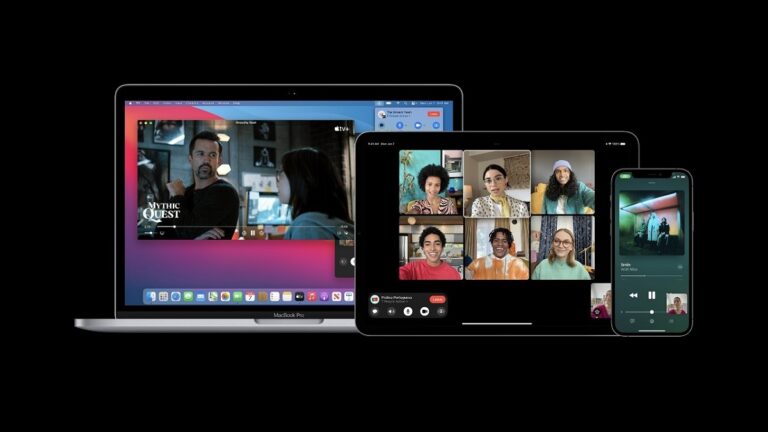
Learn how to launch SharePlay instantly from your iPhone and share music, movies, and games in real time with friends and family.

Here's how to discover what Siri can do on your iPhone in 2024, how to activate it, customize it, and get the most out of it.
Learn how to integrate Apple Intelligence with Siri on your iPhone. Enhance your experience with AI and ChatGPT.

Learn how to use the Journal app on your iPhone, its key features, and how to get the most out of this tool.

Find out what the icons in the status bar mean. How to interpret the status icons on your iPhone

Learn how to adjust brightness, True Tone, and Night Shift on your iPhone to improve your viewing experience.
How to use Siri in CarPlay with your iPhone to enjoy distraction-free navigation, music, and messaging.

Learn how to use your Apple Watch to remotely control your iPhone camera and easily take photos or videos.

Learn how to use Qi wireless chargers with your iPhone, which models are compatible, and some helpful tips.

Learn how to customize sounds and vibrations on your iPhone for calls, messages, and notifications.

Find out how to check the weather on your iPhone and take advantage of all the features of the weather app.

Follow these steps to learn how to close and reopen an app on your iPhone. Fix crashes and optimize performance.
Learn how to set up a device for your child on your iPhone with restrictions, time limits, and parental controls.

Learn how to easily restart and reset your AirPods. Fix connection issues and improve their performance.

Learn how to use the Health app on your iPhone to track your wellbeing, fitness, and sleep patterns.